
Log in to your VegasNow account quickly and securely. Access your games, manage your account, and continue your experience without interruption.
The VegasNow account is the access point for everything the platform provides — the slots catalogue, live casino tables, bonuses, payment tools, and responsible gambling controls all sit behind a single secure login that behaves consistently on desktop, mobile, and tablet. VegasNow is engineered so that the sign-in experience never becomes a source of friction between a player and the session they are looking for. For a full overview of the VegasNow Casino experience, visit the VegasNow Homepage.
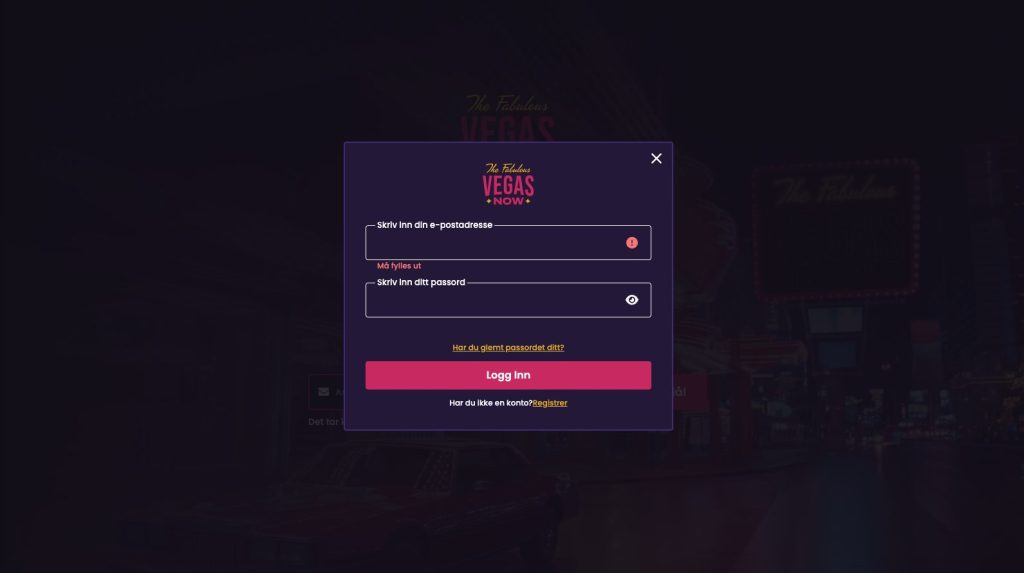
Signing in to VegasNow requires the email address used when the account was registered and the password created at that time. No device-specific adjustments, no variation in the process based on whether a player is on a computer or a phone. To reach the account dashboard:
The sign-in process completes in seconds without unnecessary steps standing between credential submission and the casino. For players who want the fastest possible access on return mobile visits, the VegasNow website can be saved to the iOS or Android home screen — the shortcut icon that results opens the platform directly with a single tap without going through the browser address bar at all.
VegasNow Casino processes every login through an SSL-encrypted connection. Credentials submitted at sign-in — email address and password — are encrypted the moment they leave the player’s device and stay protected throughout the full transmission to the platform. This applies to every connection type: home broadband, mobile data, or any other network a player happens to be using when they sign in. The type of network does not affect the encryption that protects credentials in transit.
Account data on the platform side is held in a format that prevents credentials from existing in readable form within VegasNow’s internal systems at any point. Session monitoring runs continuously across every active logged-in account, identifying activity patterns outside the normal range for a given account and responding to potential anomalies proactively — without any action required from the player during a normal session. Both of these protections run in the background without adding any visible delay or friction to the sign-in or gaming experience.
Three practical habits substantially strengthen the long-term security of a VegasNow account. Using a password that belongs exclusively to VegasNow — one that is not also used on any other service, website, or application the player accesses — removes one of the most common routes through which account security is compromised. Avoiding logins from shared devices such as public terminals, hotel computers, or shared workstations prevents credentials from being retained in browser cache or history accessible to other users of those devices. And no message from VegasNow will ever request a password through email, live chat, or any other communication channel — any message doing so should be treated as suspicious regardless of how it appears.
A forgotten VegasNow password is resolvable from the login page itself without any customer support contact required:
If the reset email does not appear in the main inbox within a few minutes of the request being submitted, the spam or junk folder is the logical next check before submitting another request. The email address entered must be precisely the one used when the VegasNow account was originally created — the reset message goes only to the address on file for that account.
Login failures not related to a forgotten password generally come from a small number of identifiable and quickly resolvable causes. Caps Lock being active is one of the most frequently missed — passwords at VegasNow are case-sensitive, meaning a single character with the wrong capitalisation will block a successful login even when every other element of the credentials is correct. Clearing browser cache and cookies removes stored page data that may be in conflict with the current version of the VegasNow sign-in page.
Switching to a different browser or alternating between desktop and mobile can reveal whether the problem is isolated to a specific browser configuration or device rather than the platform itself. Players who use a VPN should try disabling it temporarily — some VPN configurations prevent connections to online casino platforms from completing. If working through these steps does not resolve access to the account, VegasNow customer support through live chat can assist with direct troubleshooting based on what the sign-in screen is showing.
Players who do not yet have a VegasNow account can register from the main page of the platform. Registration at VegasNow has been designed to avoid unnecessary complexity — personal details, chosen login credentials, and an email confirmation step are everything that stands between a new player and a fully live, fully functional account. Once confirmed, the complete slots and live casino catalogue and all account tools are immediately available.
Before making a first deposit, looking at what promotions and bonus offers are currently available at VegasNow is a worthwhile step. For a complete and current overview of all available offers, visit the VegasNow Bonus page.
Go to the VegasNow Casino website and click the Log In or Sign In button at the top of the page. Enter the email address registered to your account and your password, then confirm to access your dashboard with the complete game catalogue and all account management tools.
Click the Forgot Password link on the VegasNow login page and enter the email address registered to your account. A reset link will be sent to that address. Follow the link, set a new password, and sign in with the updated credentials. Check the spam or junk folder if the email does not arrive in the main inbox within a few minutes.
Yes. Every login at VegasNow is processed through an SSL-encrypted connection protecting credentials during transmission. Account data is stored in a format that prevents credentials from existing in readable form within the platform's systems. Continuous session monitoring runs across all active accounts to identify and respond to unusual activity.
Yes. VegasNow Casino is fully accessible through the mobile browser on iOS and Android devices. The login process is identical to desktop and credentials work across all devices without additional configuration. The complete game catalogue, live casino, and all account management tools are available on smartphone and tablet.
Common causes include an incorrect password, an active Caps Lock key, or browser cache data conflicting with the login page. Try clearing browser cache and cookies, switching to a different browser, or temporarily disabling any active VPN. If the problem persists, contact VegasNow customer support through live chat for direct assistance.


